Spyware talk
1. Opening — why this matters to you
"If you are a journalist, your phone is your newsroom, your source's address book, your camera, and your microphone. It is also the single most attractive target a hostile actor will ever have for getting to your work and your sources."
Three real cases to anchor the talk:
- Jamal Khashoggi (2018) — people in his orbit had Pegasus on their phones before his murder. Saoudi Journalist murdered in Turkey, I think everybody knows this story.
- The Pegasus Project (2021) — Forbidden Stories and Amnesty International identified 180+ journalists across 20 countries on a target list. The collaboration revealed how NSO Group’s Pegasus spyware has been used to facilitate human rights violations around the world on a massive scale, following the revelation of 50,000 phone numbers of potential surveillance targets.
- Galina Timchenko (2023) — exiled Russian journalist, Pegasus found on her iPhone while she was in the EU.
These are examples of Pegasus the most invasive Spyware but there are other examples like Predator (delivered to journalist using local mobile providers) in Egypt, Triton, SpearHead, Novispy (put on the phone by police in Serbia) and Cellebrite (Serbia where the company pulled out of Serbia after criticism of Amnesty International).
In Africa there are know Pegasus infections in Kenya, Uganda, South Africa and all the countries in North Africa, we assume cases in Rwanda, Togo, Mozambique and Zambia.
The point of this talk is not to make people paranoid. It's to show that detection is possible, that there are free tools, and that there are simple habits that dramatically reduce risk.
2. The threat landscape
There are two very different categories of spyware. The defenses and the forensics differ.
Tier 1 — Commercial / nation-state spyware
- Examples: Pegasus (NSO Group), Predator (Intellexa), FinSpy, Hermit, Reign.
- Delivery: zero-click — a malicious iMessage or WhatsApp message with no user interaction.
- Cost: millions of dollars per deployment. Used against high-value targets.
- Capability: total device takeover — mic, camera, messages, location, encrypted chats post-decryption.
- Forensic difficulty: very hard. Often fileless, self-deleting.
Tier 2 — Stalkerware / consumer spyware
- Examples: mSpy, FlexiSpy, Cocospy, Hoverwatch, Eyezy.
- Delivery: requires brief physical access to the unlocked phone (5–10 minutes).
- Cost: $30–$200 per month. Sold openly online.
- Used by: abusive partners, controlling employers, suspicious family members.
- Forensic difficulty: much easier — leaves real traces.
Most journalists worry about Tier 1. Most actual victims see Tier 2. Both matter.
3. Warning signs on your phone
These do not prove infection — but combined, they justify a forensic check.
- Battery drains faster than it used to, especially when idle.
- Phone is warm when you're not using it.
- Mobile data usage suddenly higher with no change in habits.
- The microphone or camera indicator dot lights up when no app should be using them (iOS 14+, Android 12+).
- You receive an Apple Threat Notification or a Google account security warning.
- Strange SMS with random characters or links — historically a Pegasus delivery vector.
- A partner, ex, or employer "knows things" they shouldn't — the classic stalkerware tell.
- Your phone restarts on its own, or apps you don't recognise appear.
4. How forensic analysis works
The same six-step methodology applies to both platforms:
- Preserve — do not factory reset, do not power off if you can avoid it. A reset destroys evidence.
- Document — photograph the device, the home screen, the installed apps.
- Isolate — airplane mode, or a Faraday bag if you suspect active exfiltration.
- Acquire — make an encrypted backup (iOS) or pull data over USB (Android).
- Analyse offline — on a clean computer, never on the suspect device.
- Report — what was found, what it means, and what to do next.
Key principle: you analyse a copy, not the phone itself. The phone is the crime scene.
5. iPhone — what we look for
iOS is a locked-down platform. That is good news (harder to infect) and bad news (harder to inspect).
Where evidence hides:
shutdown.log— records every process running at shutdown. Pegasus has historically left traces here.DataUsage.sqlite— per-process network usage. Suspicious processes show up.- Safari browsing history — exploit landing pages.
- Configuration profiles — Settings → General → VPN & Device Management. A common stalkerware backdoor.
- Installed apps — anything the user does not recognise.
The tool: MVT — Mobile Verification Toolkit, by Amnesty International. Free, open source, the global standard for Pegasus and Predator detection.
Mitigations to mention:
- Lockdown Mode (iOS 16+) — disables most zero-click attack surface. The single biggest defensive win for high-risk users.
- Reboot the phone weekly — many iOS implants do not survive reboot.
- Update the day patches arrive.
6. Android — what we look for
Android is open. That makes inspection much easier — and the malware ecosystem much wider.
Where stalkerware hides:
- Device admin apps — Settings → Security → Device admin apps. Stalkerware grants itself admin rights here.
- Accessibility Services — Settings → Accessibility. Abused by stalkerware to read every screen and keystroke. This is the #1 mechanism on Android.
- "Display over other apps" permissions.
- Apps installed from unknown sources (sideloaded).
- Hidden system-named apps ("System Service", "Sync Manager", "Update Service").
The tools:
- ADB (Android Debug Bridge) — Google's official command-line utility. Lets us list packages, dump permissions, pull APKs.
- MVT — also analyses Android backups and APKs.
- TinyCheck (Kaspersky, open source) — small Wi-Fi box that watches a phone's traffic for known spyware servers. Great for live demos.
7. Live demo — MVT on iOS
Tell the audience up front: this requires a Mac or Linux laptop, a USB cable, and the iPhone's backup password.
Setup (do this before the talk)
# Install MVT (Python 3.9+ required)
pip3 install mvt

# Verify install
mvt-ios --help
Step 1 — Create an encrypted iTunes backup
On macOS: open Finder, plug in the iPhone, select it, choose "Encrypt local backup", set a password (write it down), click "Back Up Now".
The encryption is what gives MVT access to the data it needs — an unencrypted backup is missing key files.
Step 2 — Locate the backup
# macOS default location
ls ~/Library/Application\ Support/MobileSync/Backup/

# Pick the most recent UUID-named folder
BACKUP=~/Library/Application\ Support/MobileSync/Backup/<UUID>
Step 3 — Decrypt the backup
mkdir ~/decrypted-backup
mvt-ios decrypt-backup -p "<your-backup-password>" -d ~/decrypted-backup "$BACKUP"
Step 4 — Download the Indicators of Compromise (IOCs)
mvt-ios download-iocs
This pulls the latest signatures from Amnesty Tech and Citizen Lab — the Pegasus, Predator, and other commercial-spyware fingerprints.
Step 5 — Run the analysis
mkdir ~/mvt-output
mvt-ios check-backup -o ~/mvt-output ~/decrypted-backup
Step 6 — Read the results
ls ~/mvt-output
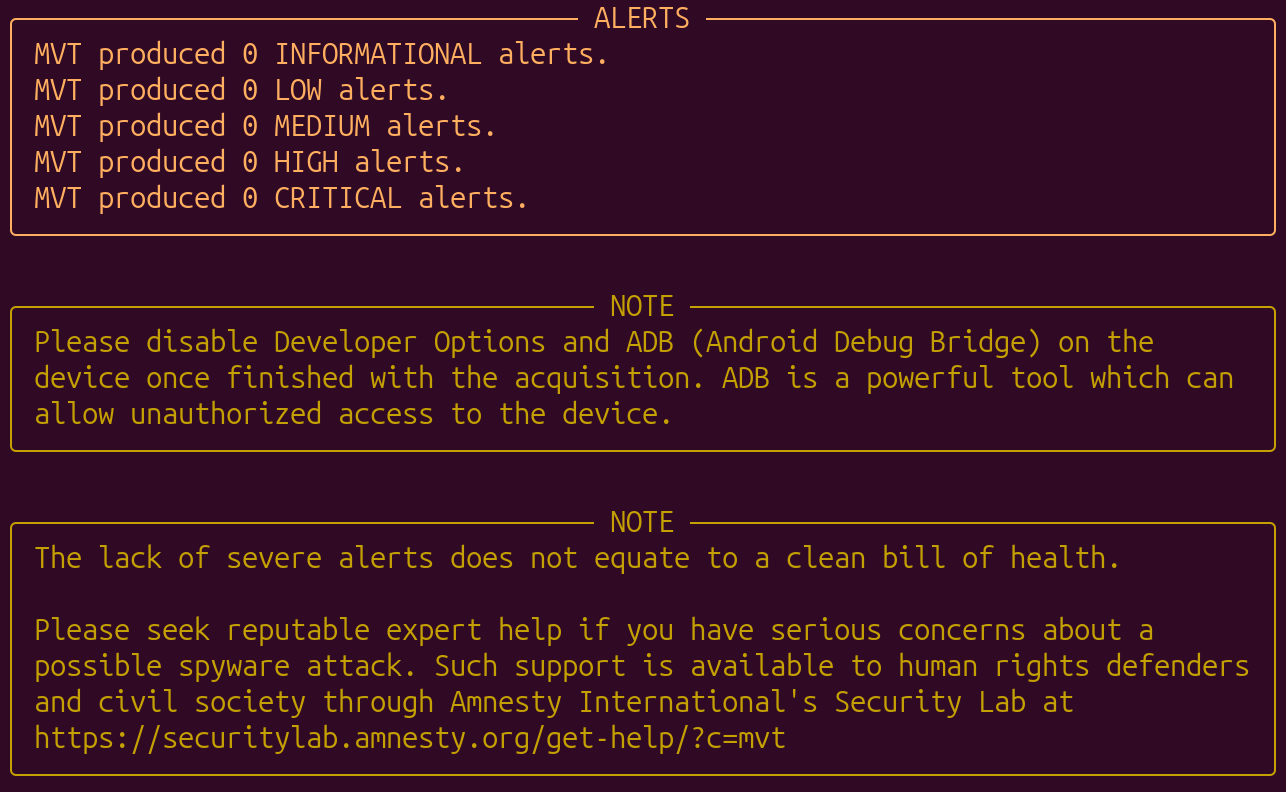
Files ending in _detected.json are matches against known spyware indicators. Empty output is the good outcome.
What to point out to the audience:
shutdown.log— every process at the last shutdown.datausage.json— bandwidth use per process.safari_browser_history.json— visited URLs.tcc.json— which apps requested mic, camera, location.
Honesty point: a clean MVT scan does not prove the phone is clean. Pegasus is designed to wipe its own traces. MVT detects what it leaves behind, and what previous research has documented.
8. Live demo — ADB on Android
Setup (do this before the talk)
- Install Android platform-tools on your laptop (
brew install android-platform-toolson macOS, or download from developer.android.com). - On the phone: Settings → About → tap Build number seven times. Developer Options now exists.
- Settings → Developer options → enable USB debugging.
- Plug the phone into the laptop. Tap "Allow" when prompted.
Step 1 — Confirm the phone is connected
adb devices
Expected output: <serial> device. If it says "unauthorized", check the popup on the phone.
Step 2 — List third-party apps (the most useful single command)
adb shell pm list packages -3
-3 means third-party only — filters out system apps. Read the list aloud. Anything the user does not recognise is a candidate for further investigation.
Step 3 — Show all packages with their install paths
adb shell pm list packages -f
Useful for catching apps disguised under generic names.
Step 4 — Inspect Accessibility Services (the stalkerware hotspot)
adb shell settings get secure enabled_accessibility_services
Anything listed here can read every screen and keystroke. Should usually be empty or just TalkBack.
Step 5 — Inspect Device Admin apps
adb shell dpm list-owners
Step 6 — Pull a suspicious APK for offline analysis
# Find where the APK lives
adb shell pm path com.suspicious.app

# Pull it to the laptop
adb pull /data/app/<path>/base.apk ./suspicious.apk
The APK can then be uploaded to VirusTotal or examined with jadx.
Step 7 — Run MVT against the device
# Pull installed APKs and check them against known stalkerware lists
mvt-android download-apks --output ./apks
mvt-android check-adb --output ./mvt-android-output
Show the audience: the actual finding for stalkerware is usually a single line in MVT's output saying the package matches a known stalkerware signature from the Coalition Against Stalkerware list. It is that direct.
9. Limitations — being honest
These are points to make explicitly, especially with a journalist audience that will publish what you say:
- A clean scan is not a clean bill of health. High-end spyware self-deletes.
- The most reliable detection for nation-state spyware is often network analysis of the phone's traffic, not on-device forensics.
- Forensics tells you what was there. It rarely tells you who put it there.
- For a journalist who has confirmed they are a target: the right advice is sometimes "retire this phone" rather than "we cleaned it."
10. What you should do tomorrow morning
A short, memorable list to close on. Practical, no jargon.
Everyone:
- Update your phone today. Set automatic updates on.
- Reboot your phone once a week.
- Delete apps you do not use.
- Use Signal for sensitive conversations. Not SMS, not WhatsApp, not Telegram.
iPhone users at elevated risk:
5. Turn on Lockdown Mode: Settings → Privacy & Security → Lockdown Mode.
6. Enable Apple Threat Notifications via your Apple ID.
Android users at elevated risk:
7. Audit Accessibility Services and Device Admin apps right now.
8. Turn off "Install unknown apps" for every app that has it.
9. Keep Google Play Protect on.
If you are a journalist working on a sensitive story:
10. Use a separate, minimal device for that story. No personal apps. No personal accounts.
11. Resources
- Amnesty Tech / MVT — github.com/mvt-project/mvt
- Citizen Lab — citizenlab.ca — primary research on commercial spyware
- Access Now Digital Security Helpline — accessnow.org/help — free, 24/7, multilingual support for at-risk users
- Coalition Against Stalkerware — stopstalkerware.org
- EFF Surveillance Self-Defense — ssd.eff.org
- Freedom of the Press Foundation — freedom.press — security training for journalists